
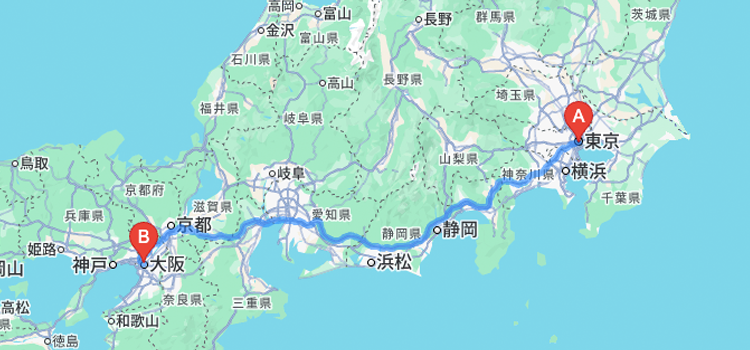
Google Maps JavaScript APIを使うことで、地図上で経路検索や距離計測などの便利なナビゲーション機能を実装できます。
googleMAP APIでよく使われるルート関連の機能を紹介します。
■ 2点間の距離を測る(Google Maps Geometry)
2地点の緯度経度がわかっていれば、Google Maps の geometry.spherical.computeDistanceBetween() を使って直線距離(メートル単位)を簡単に算出できます。(あくまで直線距離であり、走行距離ではありません。)
const point1 = new google.maps.LatLng(35.6895, 139.6917); // 新宿
const point2 = new google.maps.LatLng(35.6586, 139.7454); // 東京タワー
const distance = google.maps.geometry.spherical.computeDistanceBetween(point1, point2);

console.log("距離(メートル): " + Math.round(distance));
■ 経路案内(Directions API)
2点間の車・徒歩・自転車などのルート案内には、Directions API を使います。指定した開始地点と目的地の間の道順を自動的に取得・描画できます。
const directionsService = new google.maps.DirectionsService();
const directionsRenderer = new google.maps.DirectionsRenderer();
directionsRenderer.setMap(map);

const request = {
  origin: "新宿駅",
  destination: "東京タワー",
  travelMode: google.maps.TravelMode.DRIVING
};

directionsService.route(request, function(result, status) {
  if (status === "OK") {
    directionsRenderer.setDirections(result);
  }
});
このように DirectionsService を通してルート情報を取得し、DirectionsRenderer を使って地図上にルートを描画します。
■ 複数経由地のルート表示
複数の地点を通る経路も指定可能です。以下のように waypoints を指定することで、自由にルートをカスタマイズできます。
const request = {
  origin: "東京駅",
  destination: "渋谷駅",
  waypoints: [
    { location: "秋葉原", stopover: true },
    { location: "新宿", stopover: true }
  ],
  travelMode: google.maps.TravelMode.DRIVING
  avoidHighways: true, // ← これが一般道優先
};
stopover: true にすると、必ずその地点を経由します。
途中で寄る場所を指定した観光ルートや配送ルートの作成に便利です。
| モード名 | 説明 |
|---|---|
| DRIVING | 車移動(一般道+高速) |
| WALKING | 徒歩 |
| BICYCLING | 自転車 |
| TRANSIT | 公共交通機関(電車・バスなど) |
TRANSIT を選んでも、新幹線の情報は一部の地域しかサポートされておらず、日本では詳細なルートが出ないことが多いです。
Googleは新幹線のルートをAPI経由で提供していません。
■ 所要時間・距離の取得
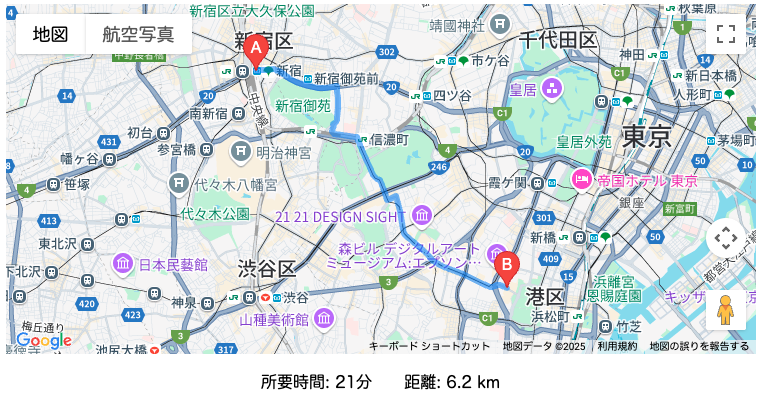
DirectionsService で取得したルート情報には、移動にかかる 時間(duration) や 距離(distance) の情報も含まれています。
directionsService.route(request, function(result, status) {
  if (status === "OK") {
    const route = result.routes[0].legs[0];
    console.log("所要時間: " + route.duration.text);
    console.log("距離: " + route.distance.text);
  }
});
duration.text:例)”22 分”
distance.text:例)”12.3 km”
ユーザーへの所要時間の提示や、配送料金の計算などにも活用できます。
必要に応じて、リアルタイムの交通状況を反映したルート検索(trafficModel オプション)なども組み合わせることで、より高機能なナビゲーションを実現できます。